Overview
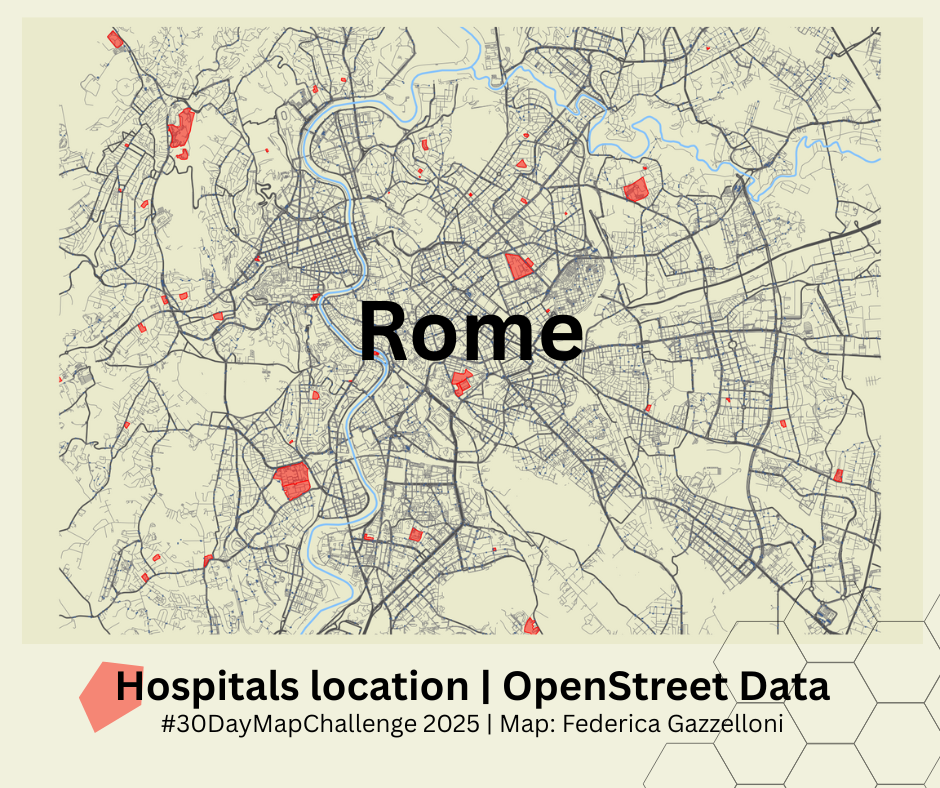
Today’s map focuses on OpenStreetMap (OSM) and the osmdata package. I wanted to build a compact visual overview of Rome by layering a few key features: highways, small streets, rivers, hospitals and bus stops. The workflow is simple, reproducible and fully based on open data.
What is expected in this type of exercise is clarity: start from a bounding box, fetch only the features you need, and build up the map step by step. Below I share the essential code blocks I used.
Get the bounding box for Rome
A single call to getbb() gives you a clean area to work with:
bb <- getbb("Rome, Italy")Download selected OSM layers
I queried a few features separately to keep things tidy and avoid timeouts:
primary <- opq(bb) %>%
  add_osm_feature("highway", c("motorway", "primary", "secondary", "tertiary")) %>%
  osmdata_sf()
# saveRDS(primary,"data/primary.rds")

secondary <- opq(bb) %>%
  add_osm_feature(key = "highway", value = c("residential", "living_street", "unclassified", "service", "footway")) %>%
  osmdata_sf()
# saveRDS(secondary,"data/secondary.rds")
rivers <- opq(bb) %>%
add_osm_feature(key = "waterway", value = "river") %>%
osmdata_sf()
# saveRDS(rivers,"data/rivers.rds")# retrieving data of hospitals
hospitals <- opq(bb) %>%
add_osm_feature("amenity", "hospital") %>%
osmdata_sf()
# saveRDS(hospitals,"data/hospitals.rds")# Define the bounding box of the area we want to search
bus_stops <- opq(bb) |>
add_osm_feature(key = "highway", value = "bus_stop") |>
osmdata_sf()
# saveRDS(bus_stops,"data/bus_stops.rds")Plot with ggplot2
A layered approach helps maintain transparency and auditability:
streets +
  geom_sf(data = rivers$osm_lines, color="#7fc0ff") +
  geom_sf(data = hospitals$osm_polygons,color="red",fill=alpha("red",0.5)) +
  geom_sf(data= bus_stops$osm_points,shape=".", color=alpha("#3e5d8b",0.8))+
  coord_sf(xlim = c(12.4, 12.6),
           ylim = c(41.84, 41.95),
           expand = FALSE) +
  ggthemes::theme_map()