Psychometric Reporting…


…with and Quarto

     Report Formats

Software Installations


Authoring:

Language:


Interface:


    lab

2 Types of Report Content

Narrative:

plain–text = written in prose (same as any word processor) with formatting indicated by markdown1:

# 1^st^ level heading 

## 2^nd^ level Heading

this is **bold**
this is *italic*

Computational:

occurs in chunks – isolated bits of code indicated with either one (inline) or three (code block) “ticks”:

```{r}
library(ggplot2)

# Basic scatter plot
ggplot(mtcars, aes(
  x=wt, y=mpg)) + 
  geom_point()
```
1
any command you would normally specify within scripts or the console is valid within code chunks (including the loading of packages)
2
comments also operational within code chunks

Let’s build a tech report!!!

Example Measure & Data

BFI dataset (from psych package):

                                                Item                Big6 Keying
A1         Am indifferent to the feelings of others.       Agreeableness     -1
A2                 Inquire about others' well-being.       Agreeableness      1
A3                       Know how to comfort others.       Agreeableness      1
A4                                    Love children.       Agreeableness      1
A5                         Make people feel at ease.       Agreeableness      1
C1                           Am exacting in my work.   Conscientiousness      1
C2             Continue until everything is perfect.   Conscientiousness      1
C3                    Do things according to a plan.   Conscientiousness      1
C4                   Do things in a half-way manner.   Conscientiousness     -1
C5                                    Waste my time.   Conscientiousness     -1
E1                                 Don't talk a lot.        Extraversion     -1
E2             Find it difficult to approach others.        Extraversion     -1
E3                     Know how to captivate people.        Extraversion      1
E4                              Make friends easily.        Extraversion      1
E5                                      Take charge.        Extraversion      1
N1                                 Get angry easily. Emotional Stability     -1
N2                             Get irritated easily. Emotional Stability     -1
N3                        Have frequent mood swings. Emotional Stability     -1
N4                                  Often feel blue. Emotional Stability     -1
N5                                     Panic easily. Emotional Stability     -1
O1                                 Am full of ideas.            Openness      1
O2                 Avoid difficult reading material.            Openness     -1
O3         Carry the conversation to a higher level.            Openness      1
O4                  Spend time reflecting on things.            Openness      1
O5             Will not probe deeply into a subject.            Openness     -1
gender                            males=1, females=2                <NA>     NA
education in HS, fin HS, coll,  coll grad , grad deg                <NA>     NA
age                                     age in years                <NA>     NA

n = 2800 ( pssstt reported this number via inline code)

Build Components (Today)

  1. Table of Contents
  2. Template
  3. Psychometric content:
  4. Cross–references
  5. Bibliography

FIRST – let’s set up your Workspace…

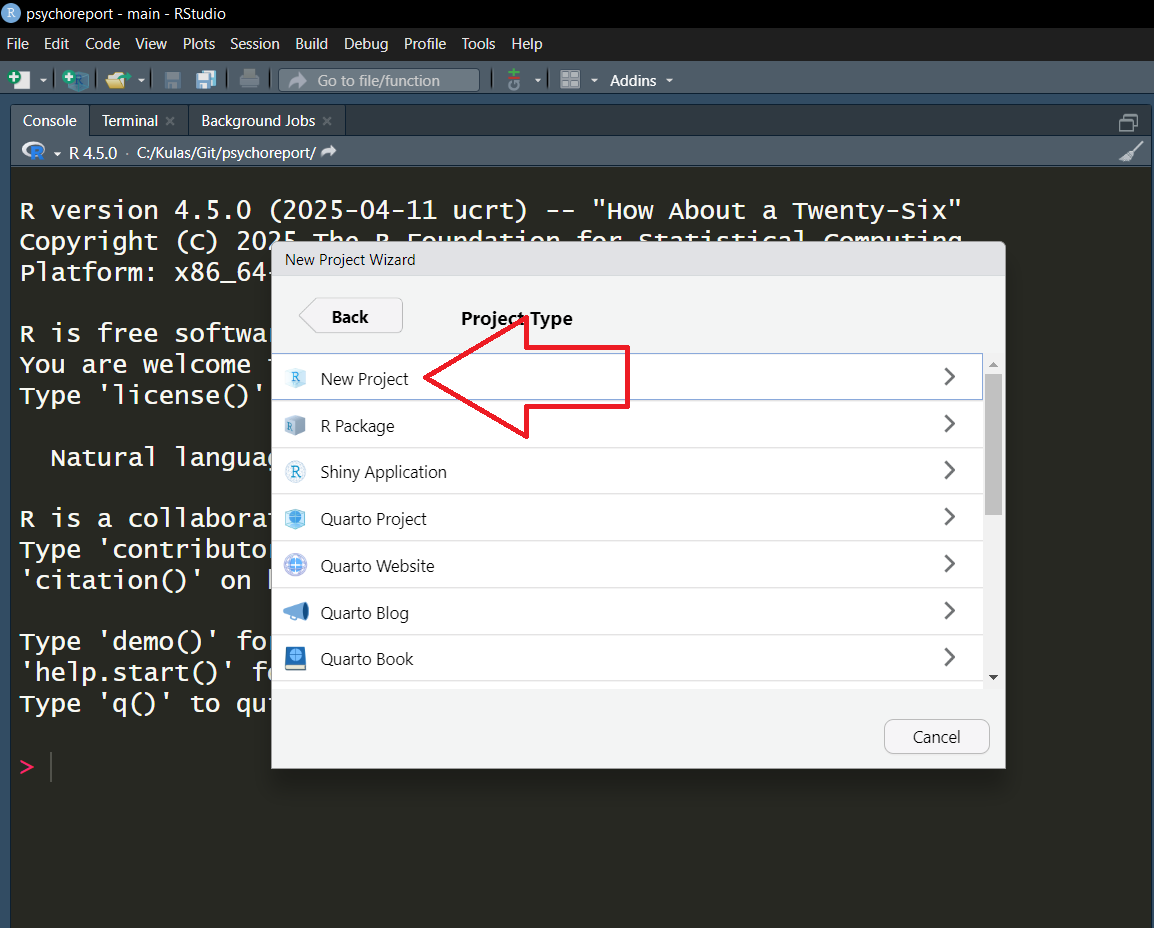
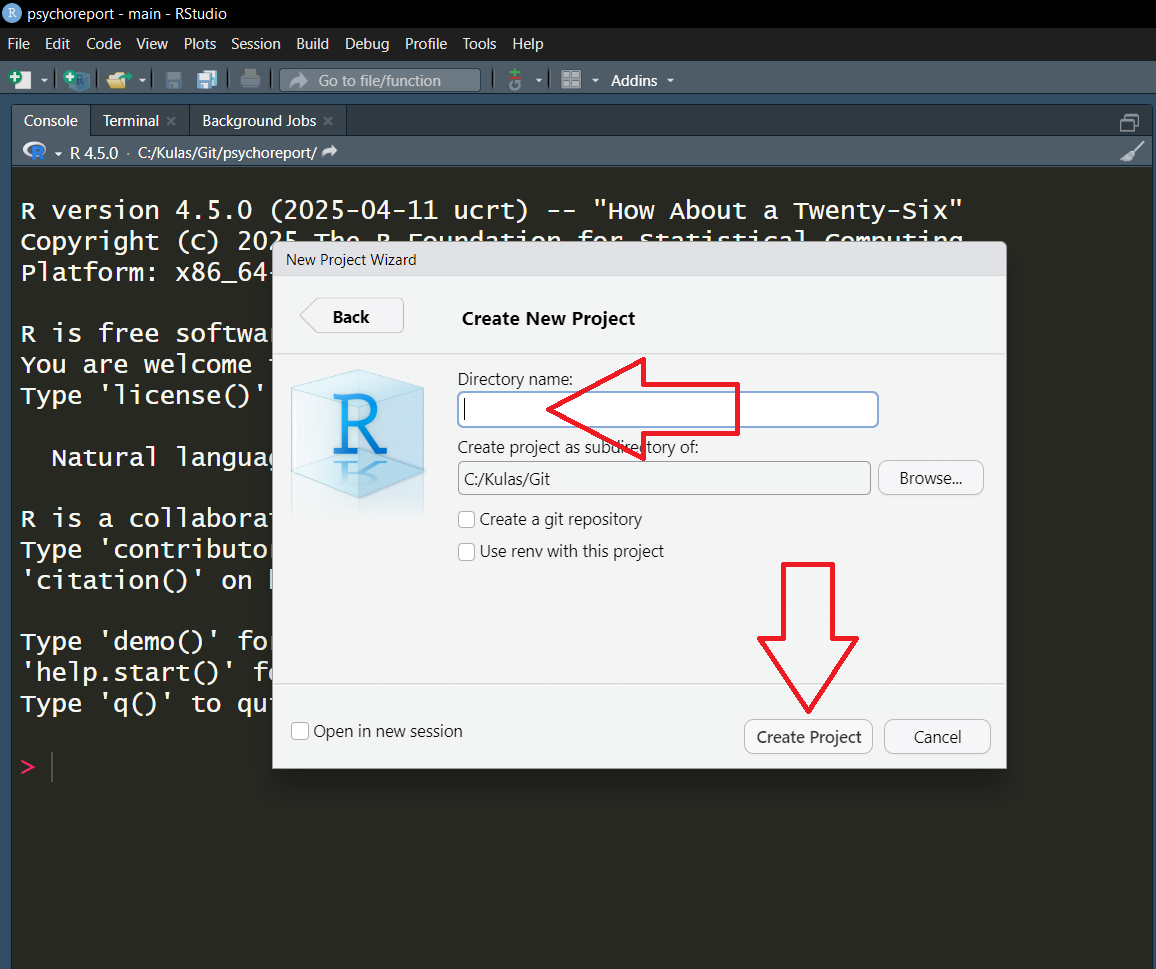
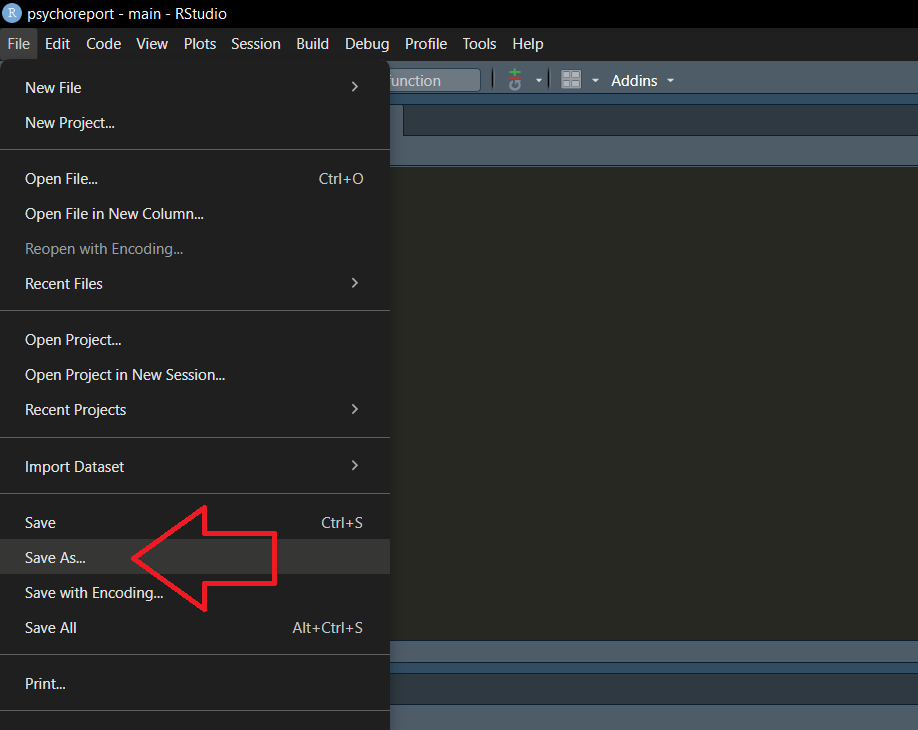
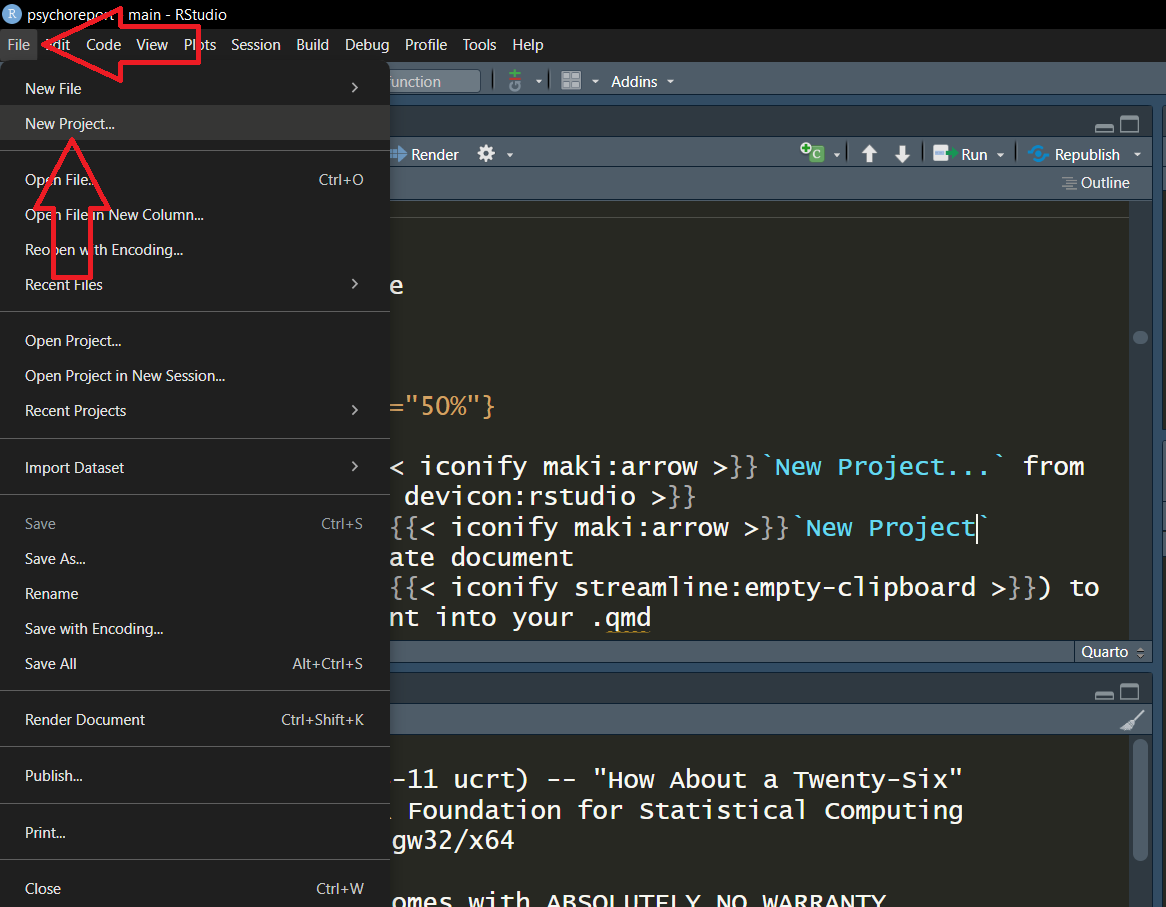
1. From within , select FileNew Project...
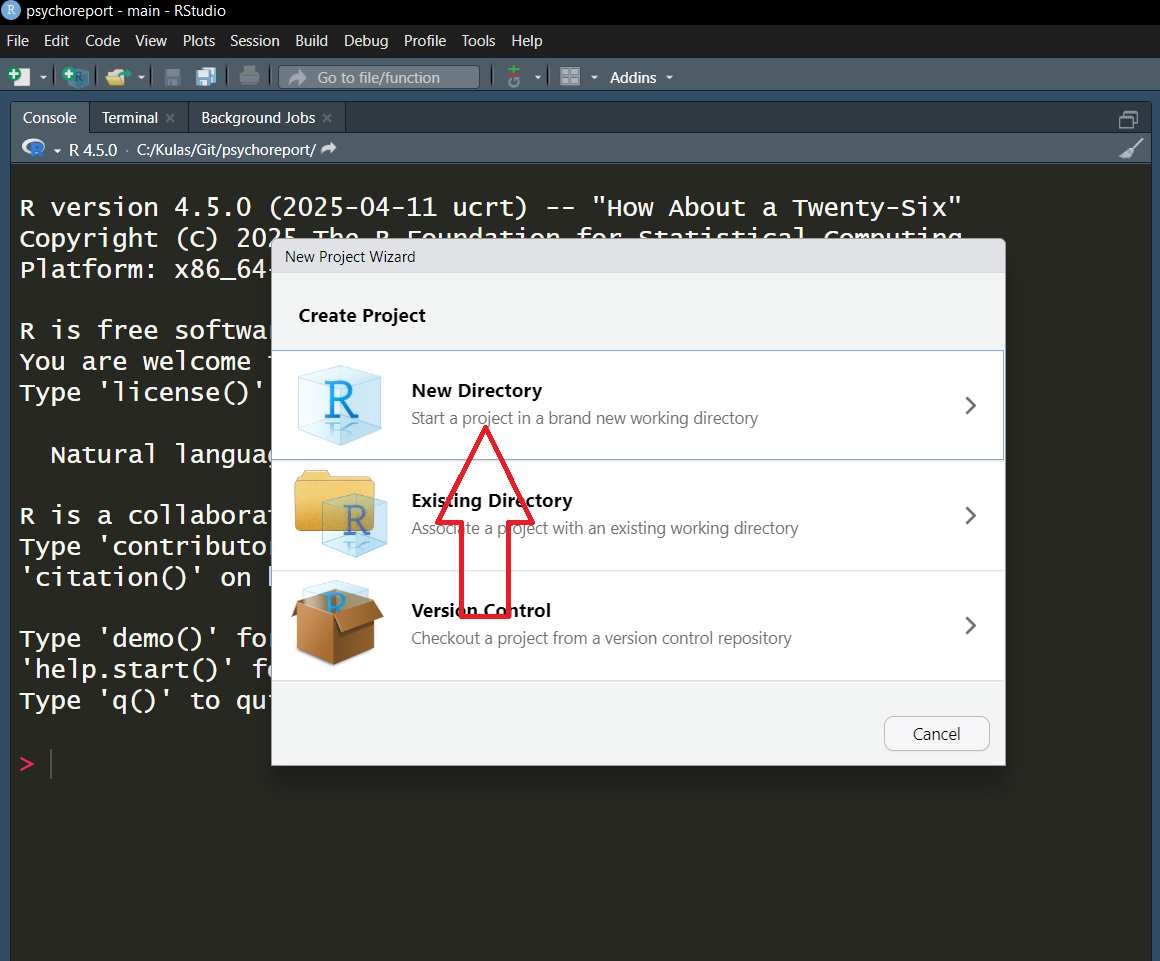
2. New Directory
3. New Project
4. Provide a name for your directory (let’s call it “report”) & select Create Project
Empty Report Shell

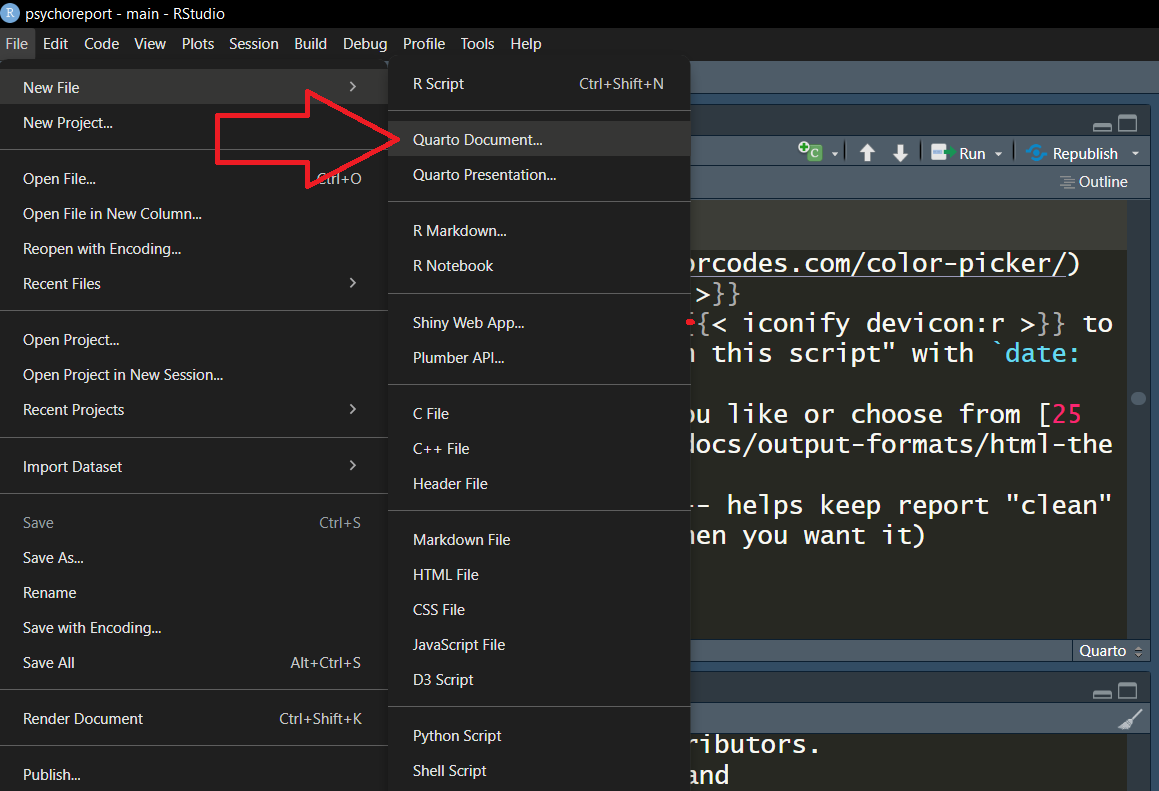
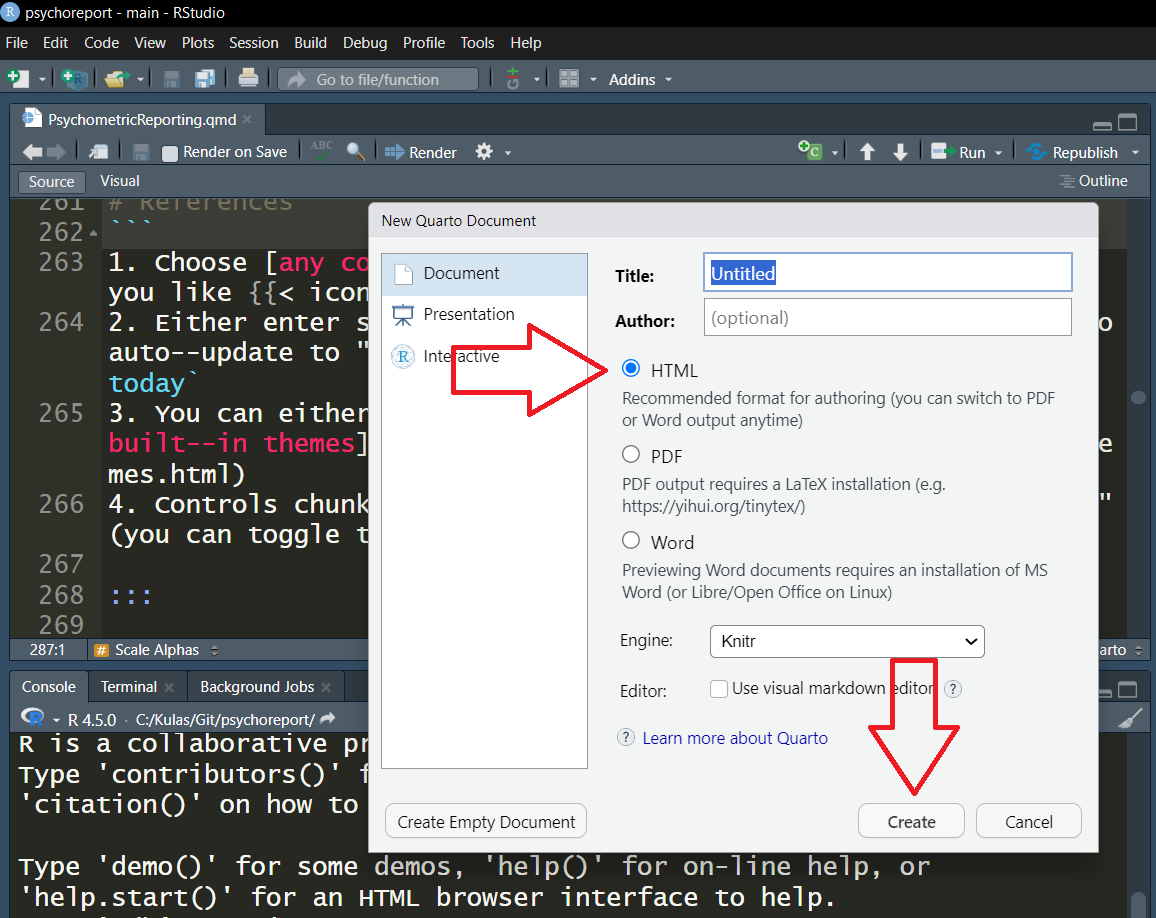
  1. Create a boilerplate Quarto html document:
    • FileNew FileQuarto DocumentHTMLCreate

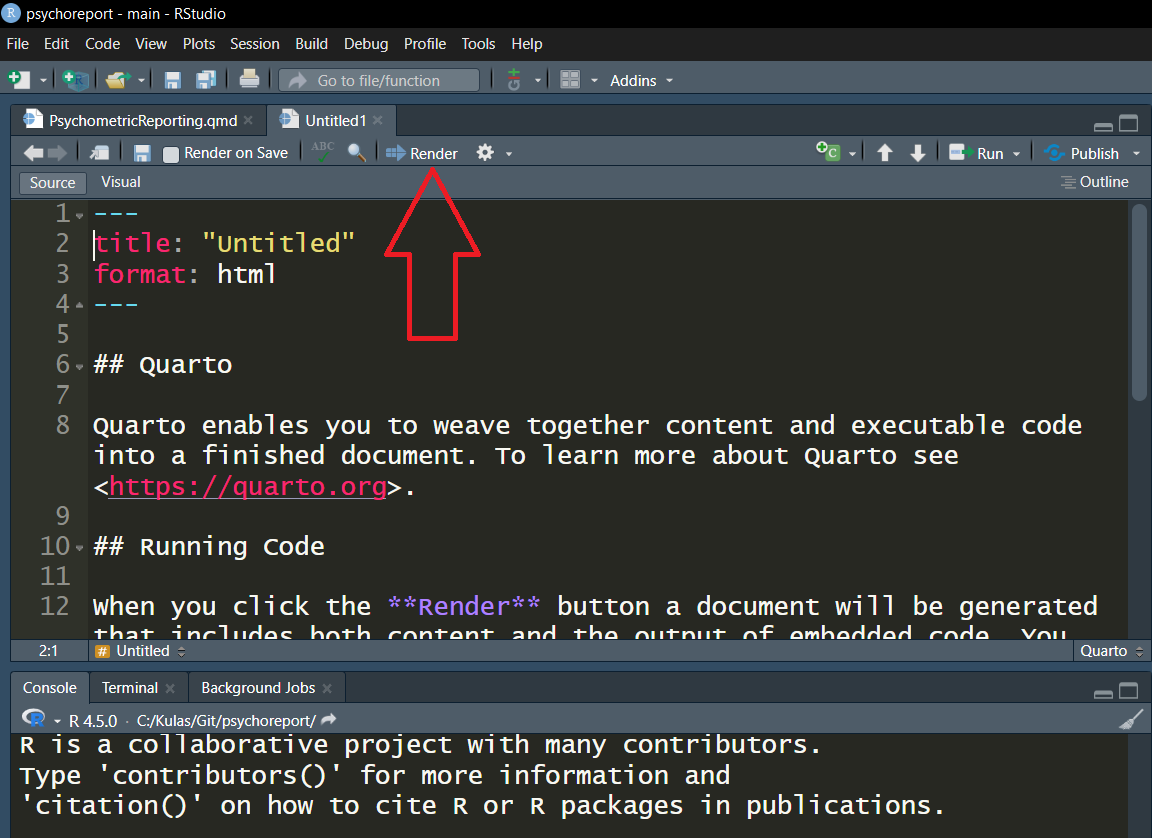
2. Verify everything “works” – render/save within project folder
3. Use clipboard () to replace content & re–render

---
title: "SCSU 2025 Psychometrics Report"
author: "I.M. Ah--sum"
title-block-banner: "#4caad8"
date: today
format: 
  html:
    theme:
      light: default
      dark: darkly
toc: true
toc-location: left
execute:
  echo: false
  warning: false
  message: false
#bibliography: bib.bib
#csl: apa7.csl
---

# Introduction
::: {style="overflow: auto;"}

[![](https://www.stcloudstate.edu/ucomm/_files/images/300x300_stc.png){style="float: right; margin-left: 1em; width: 40%;"}](https://www.stcloudstate.edu/graduate/io-psy/default.aspx)

This report summarizes responses from... 

>Note: any caveats here

:::

# Method

## Participants {#sec-people}

## Materials

# Results

# Conclusions & Summary

## Future considerations

## Limitations

# References
1
Choose any color you like
2
Either enter static date or allow to auto–update to “whenever you last ran this script” with date: today
3
You can either customize however you like or choose from 25 built–in themes
4
Controls chunk reporting activity – helps keep report “clean” (you can toggle to recieve feedback when you want it)

Build Component Status:

  1. Table of Contents
  2. Template
  3. Psychometric content:
  4. Cross–references
  5. Bibliography

Scale Alphas

  1. Understand code chunk (aka script) elements   
  2. Copy chunk (hit ) & paste into “Results” section of template report
  3. Ask for Chronbach’s \(\alpha\) by using inline code:
    • Copy spec on line #12 into Results section (but OUTSIDE of chunk)
```{r}
library(psych)

bfi$A1 <- 7-bfi$A1

agree <- alpha(bfi[1:5])

## Chronbach's stored in
## agree$total

## request by typing:
## `r agree$total$raw_alpha`
```
1
Reflecting A1 as indicated on scoring key
2
Indexing quickest way to subset, but be careful (make sure to check output, even if you don’t eventually include in report)

Note

Your reported \(\alpha\) will NOT be rounded – we can revisit (time permitting)

Build Component Status:

  1. Table of Contents
  2. Template
  3. Psychometric content:
  4. Cross–references
  5. Bibliography

Item Response Distributions

Not all that interesting but worth looking into, we’ll do one item histogram as well as a multi–item table…

Copy () and place underneath previous (\(\alpha\)) chunk:1

```{r}
#| label: fig-a1
#| fig-cap: "Basic histogram of responses to BFI item A1"

hist(bfi$A1)
```

Ditto here ( & place under histogram chunk)

```{r}
##| label: tbl-agree
##| tbl-cap: "Agreeableness item distribution properties"

table <- describe(bfi[1:5])

knitr::kable(table[,c(2,3,4,8,9,11,12)])
```

Build Component Status:

  1. Table of Contents
  2. Template
  3. Psychometric content:
  4. Cross–references
  5. Bibliography

Cross–referencing…

…can be done to just about any report element…

Sections

Look at line #34 in your .qmd

Call it up in your report:

@sec-people talks about respondents

Output

Of course you can also cross–reference data (and summaries such as figures and tables)…


Try this:

@fig-a1 is kinda lame

Build Component Status:

  1. Table of Contents
  2. Template
  3. Psychometric content:
  4. Cross–references
  5. Bibliography

Bibliography (Setup)

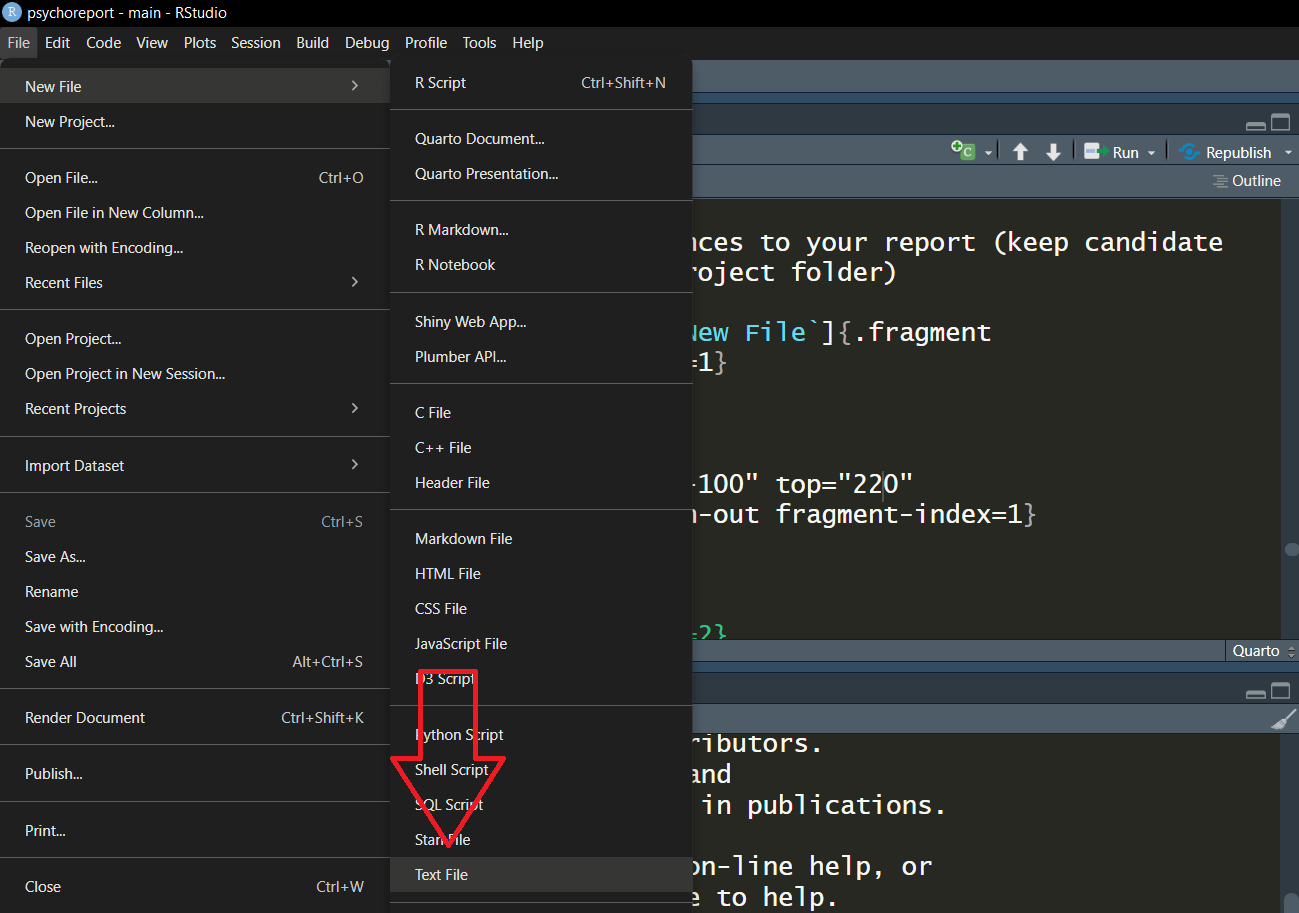
Will auto–complete as you add references to your report (you should keep candidate references in a .bib file within your project folder)

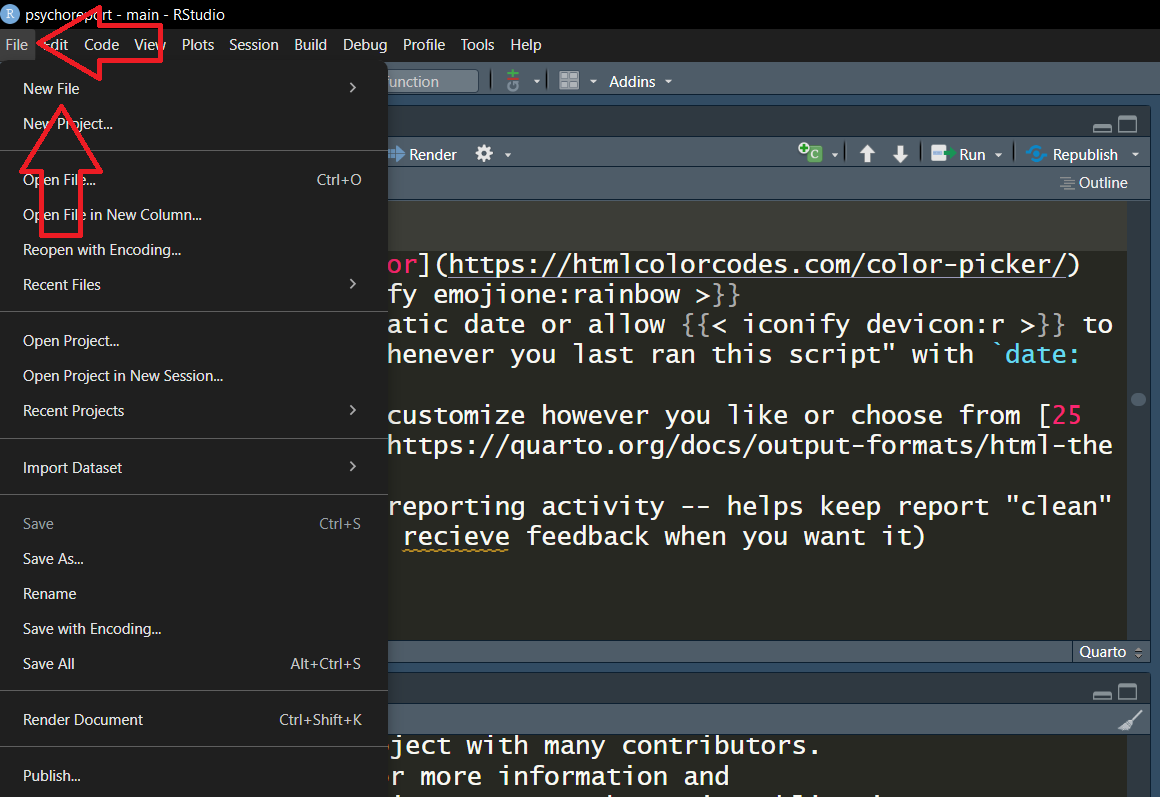
1. FileNew File
2. New FileText File
3. Save As... “bib.bib”
Bibliography (Use)

Will auto–complete as you add references to your report (you should keep candidate references in a .bib file within your project folder)

@article{young2021analysis,
  title={An analysis of training and vocational rehabilitation services for individuals with intellectual disability},
  author={Young Illies, Marcy and Valentini, Brian J and Ingles, Kristina E and Gilson, Carly B},
  journal={Journal of Vocational Rehabilitation},
  volume={55},
  number={2},
  pages={219--225},
  year={2021},
  publisher={SAGE Publications Sage UK: London, England}
}
1
The “key” is how you identify the reference within your report. Here, = young2021analysis. Like cross–references, you precede the citation key with the symbol when referencing.

* provides this format

  1. Copy () and paste the left–hand citation* into your “bib.bib” file

  2. Delete the “” around/on line 17 of your .qmd

  3. Call out within report:

see the work of @young2021analysis

Build Component Status:

  1. Table of Contents
  2. Template
  3. Psychometric content:
  4. Cross–references
  5. Bibliography

“Getting Started” Resources


Slides

Video

Keep in Touch